

Description
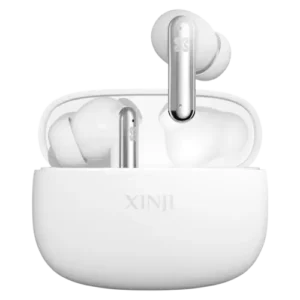
Comfort-01
Function Statement
- Play/Pause:Click the power key once.
- Answer an incoming call:Click the function button once.
- Reject an incoming call:Hold down the function button for 2 seconds.
- Call back:Press the function button twice to call back the last call.
- Last song:Press “+” twice.
- Next track:Press “-” twice.
- Volume plus:Long press “+” straight to add volume.
- Volume reduction:Long press “-” straight to reduce volume.
- Siri function:Press the function button 3 times continuously to access Siri.
Indicator Light Instructions
- Power on:Red and blue lights flash alternately.
- Shutdown:Red light flashes three times.
- Connection prompt:Blue light flashes once every 5 seconds.
- Low power alarm:When power is lower than 10%, the red light flashes once every 2 seconds and prompts every minute.
- Charging display:Red light is on during charging; blue light stays on when fully charged.




Reviews
There are no reviews yet.